
🧩 Architects Weekly #69 | Changelog, New article, Tip: Formulas in Buttons
See what's new in Fibery!
Hi ✉️,
As you might notice, our newsletter looks a bit different—we've switched platforms to Buttondown. But that should be the only change, let us know what you think!
In this week's release, we've got Batch undo and Views history for unwanted mistakes, and we've taken another stab at creating Automations with AI. Let us know how it's working 🤔.
We've also got a new article by Michael on how custom code will change the landscape of the productivity tools market. And last (and probably least), we've got a tip on using Formulas in Buttons. Enjoy!
📫 Weekly Changelog — August 20, 2026
Batch undo many accidental changes
In the past, it was very hard to undo many actions or recover hundreds of deleted entities:
I’d need some help to restore like a few thousand entities that got accidentally deleted and I’m hoping not to have to click through all of them. Is there anything you can do?
Fibery just could not handle it.
No more! Now you can undo huge changes from Activity or Trash. Just apply some filter, select all the things you want to recover, and click Restore action. Wait. Enjoy the result!
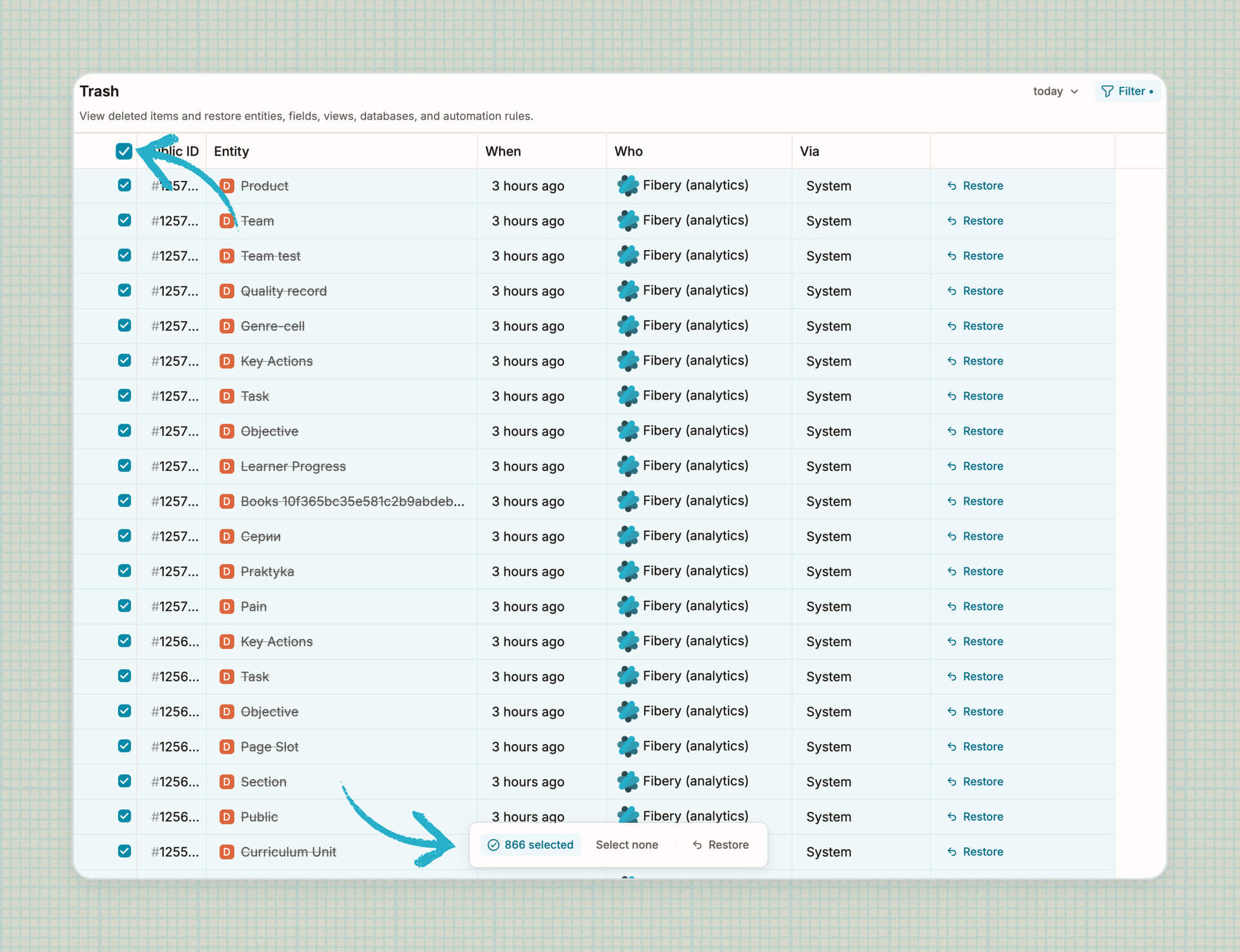
It’s especially useful when AI has done something wrong. You can filter by Fibery AI or MCP channel and undo all recent changes with two clicks.
Create an automation with AI (attempt #2)
We’ve re-implemented automation Rules and Buttons creation via Fibery AI and MCP, so now you can ask your agent to create or modify Rules. If something goes wrong, you can undo the change via Activity tab in rules and buttons, so it is a relatively safe operation now:
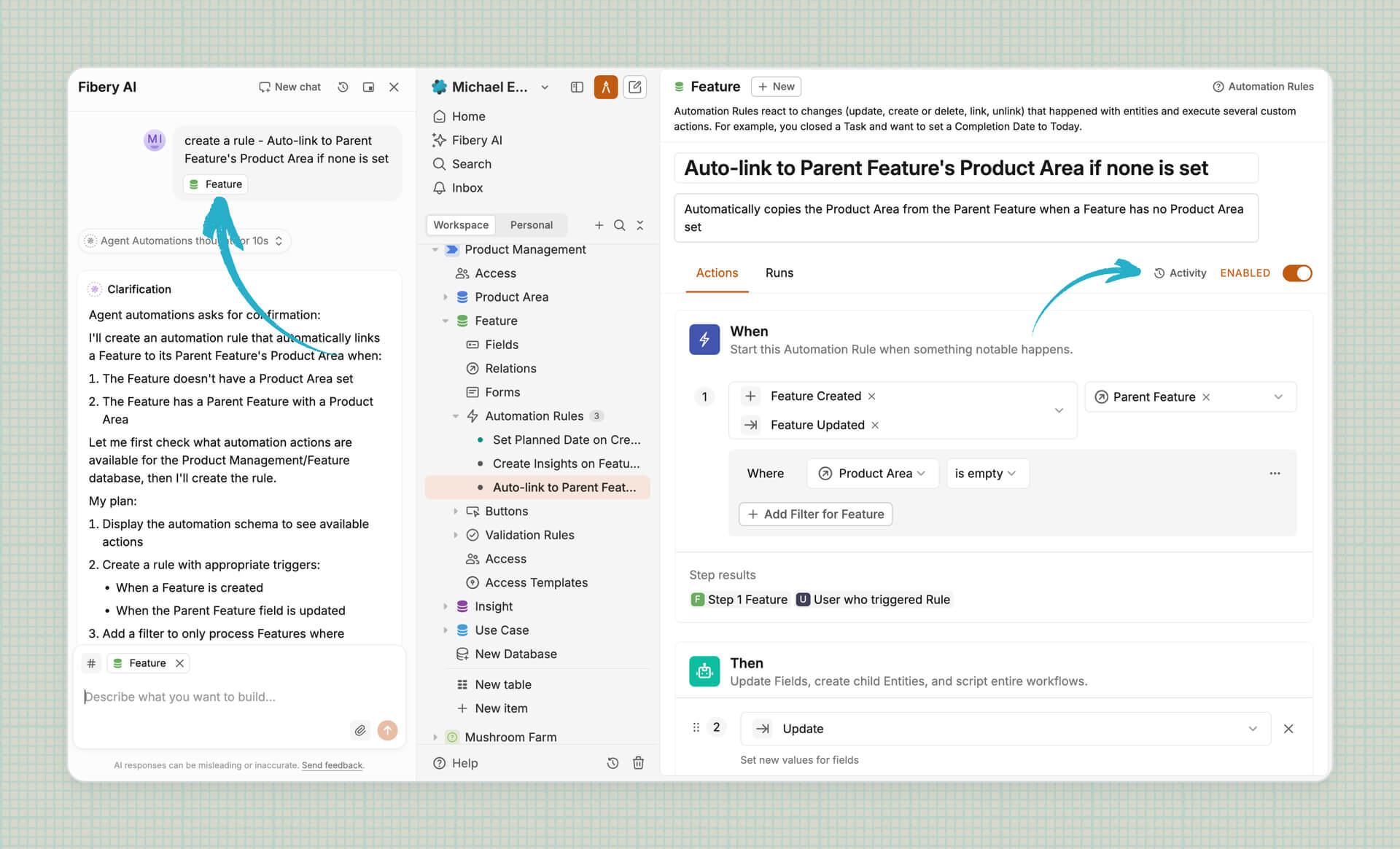
Try it and let us know how it goes!
Views history
Ever wondered who’s messed up your favourite View? You don’t need to hire a private detective because Views have an activity log now:
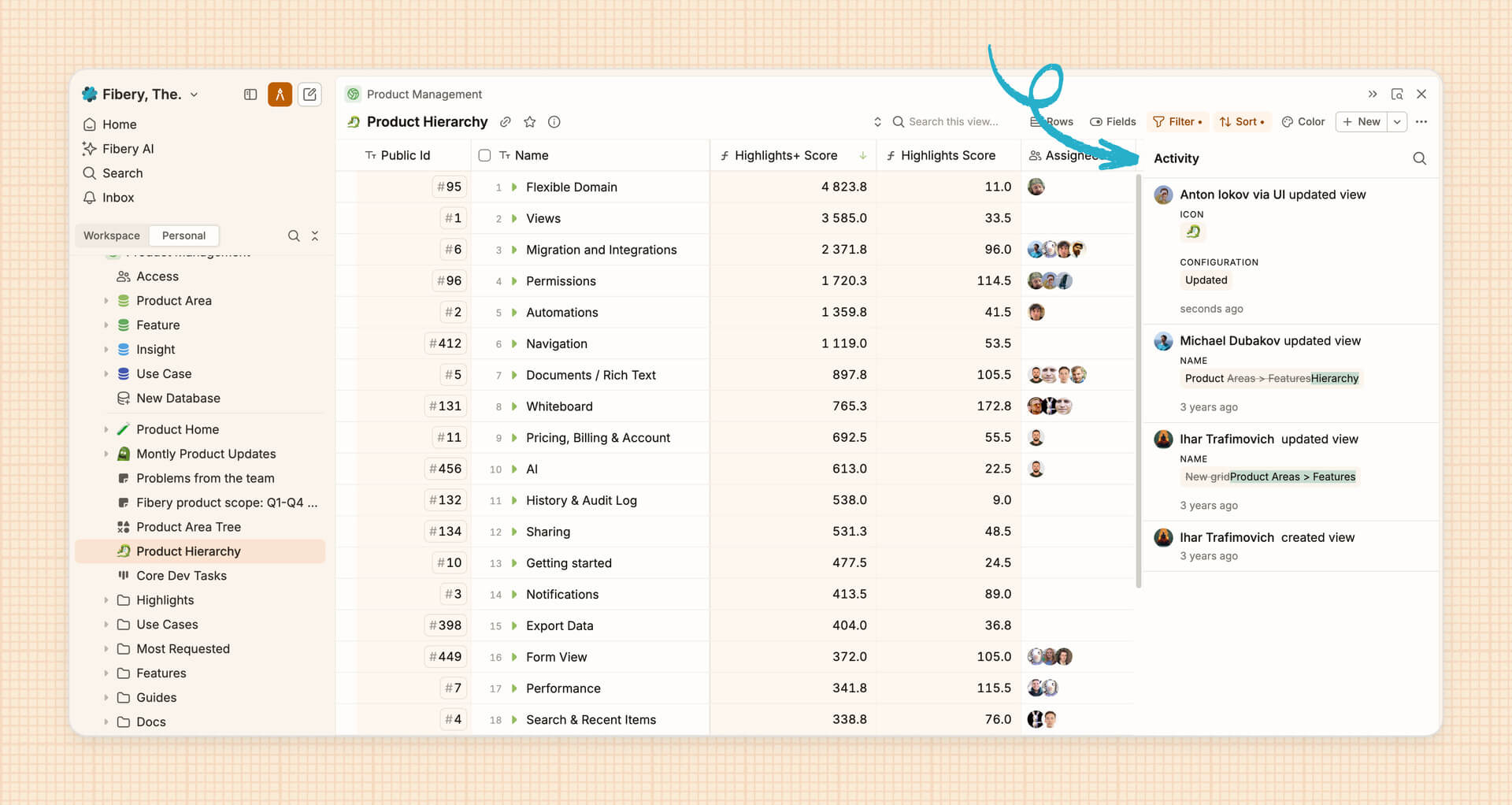
You’ll see simple changes like renames and icon swaps immediately. Configuration updates (like adding rows or filters) are tricky to display, so you’ll need to click Details to drill down and get an AI summary (sorry!).
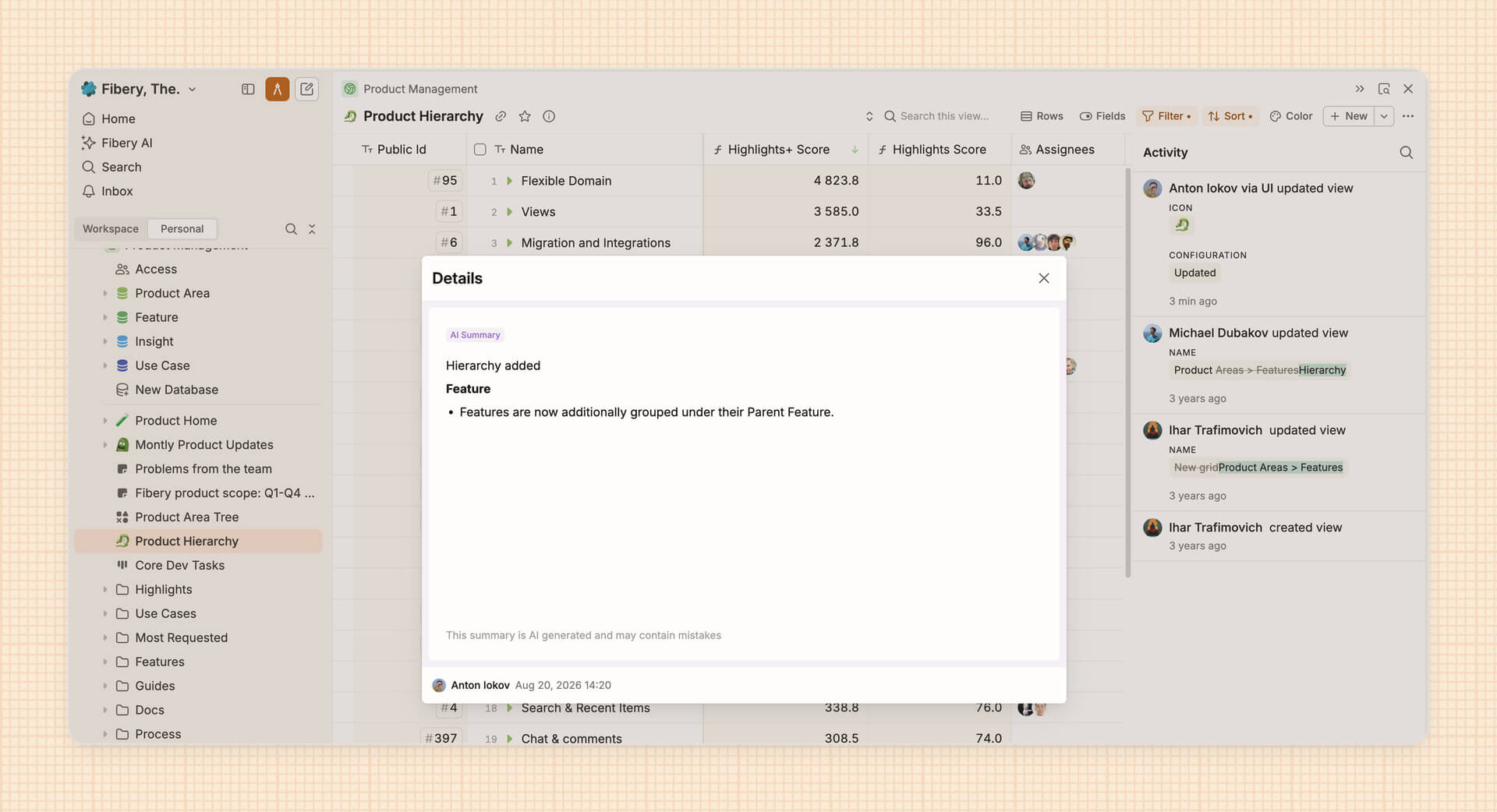
As with automations, you can undo changes by restoring a specific version of the View.
We've also fixed 8 bugs, see all the details in the changelog!
📜 New Article
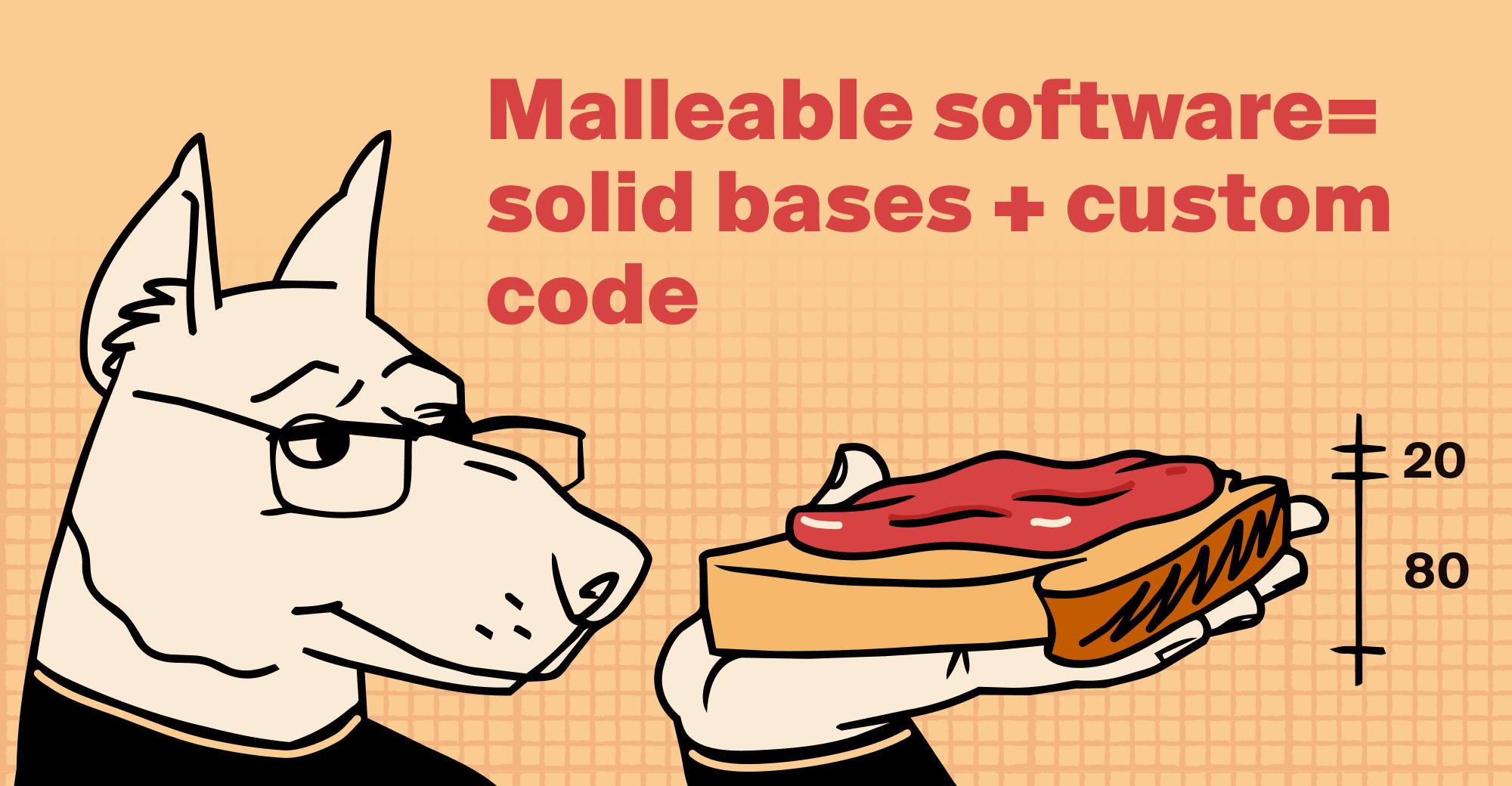
Michael has kept an eye on the productivity tools market for over two decades and seen its twists and turns. AI has of course been a game changer at several crossroads. Although vibe-coding gets good results, "collaboration" demands certain foundations to be set—things like permissions, history, and shared data.
So, which direction is the market going? Will vibe-coding become the be-all-and-end-all? What's needed to live up to standards of security and scalability? Different scenarios will demand different levels of bases and custom code. Check out Michael's article for his take on where we're heading and what balance will need to be achieved.
💡 Tip of the Week
Who doesn't love pushing buttons? And Buttons get even better when they do something fun, like trigger a Formula. Yes, that's our idea of fun! You can automate Field syncing for related Entities, change existing Field values, or assign the User who clicked the Button—no more whodunnits...
When you're setting up your Button Action, select the Field you want to change, switch the input mode to Formula with the f icon, and enter your Formula. Easy as a click of a button!

|


