
🧩 Architects Weekly #73 | Changelog, Tip: Automatic Sharing with User Groups
See what's new in Fibery!
Hi 🤖,
This week we've revamped our Fibery AI Agent, given AI & MCP access to Whiteboards, and introduced some caps for AI credits, among other things. We've also got a tip on Automatic Sharing with User Groups. Enjoy!
📫 Weekly Changelog — September 17, 2026
New Fibery AI Agent
The most frequent complaints we kept hearing about Fibery AI agent are that it’s quite unresponsive and feels veery slow sometimes, doesn’t know what it can do and cannot do, and acts proactively in cases when it shouldn’t have. All three are consequences of the agent architecture that we’ve chosen a year ago: router agent on top with area-specific agents to delegate to. Passing relevant context between sub-agents and making sure the router really knows where to delegate the request turned out to be quite a challenge in case of Fibery because the whole platform is so intertwined, and questions may touch on multiple areas at the same time.
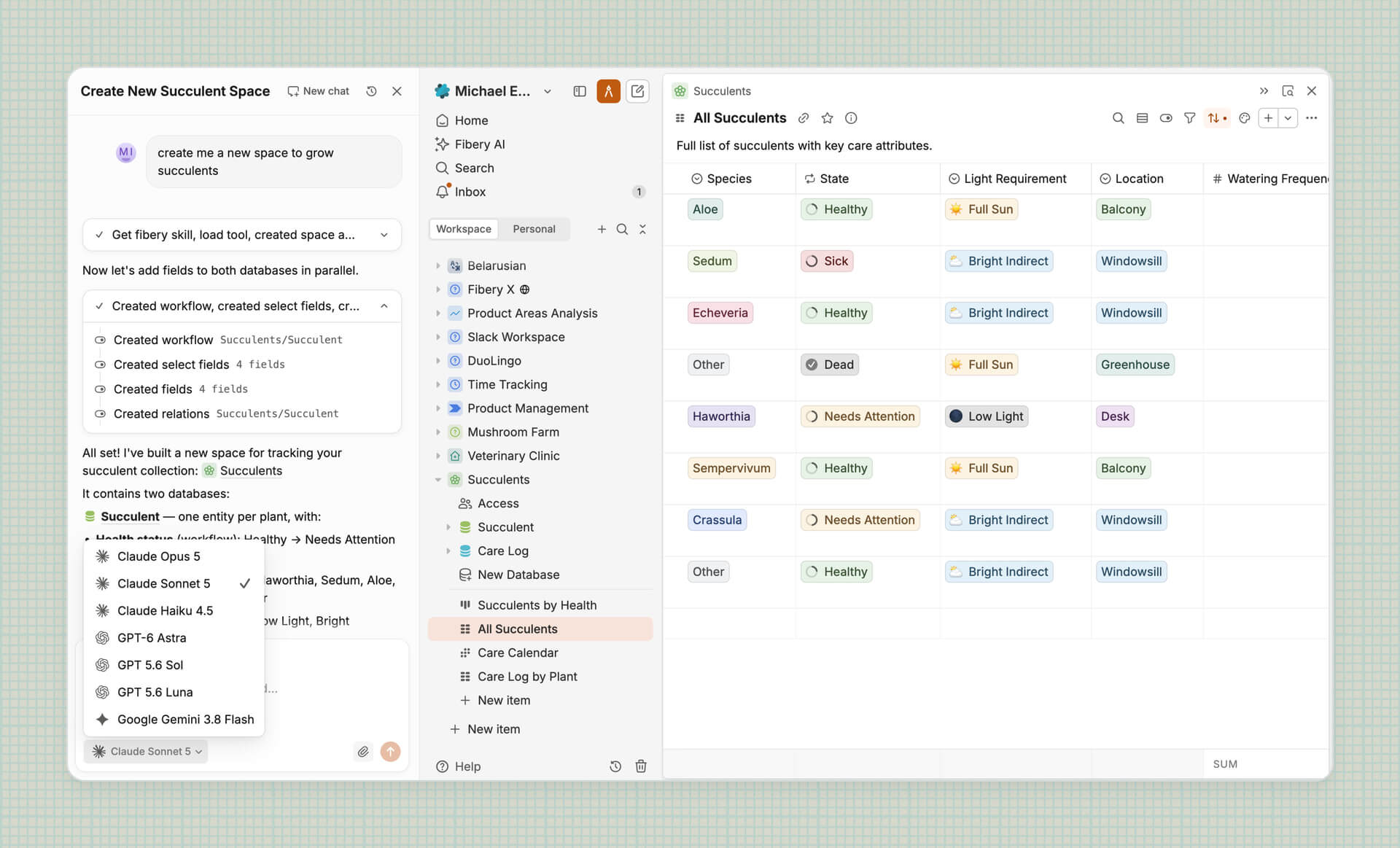
So, we re-built the agent from scratch based on the most recent advancements in the agentic world — dynamic tool loading, a single instance of agent capable of spanning sub-agents, and skills. What changed for you:
- Agent streams its response now. You’re able to follow its trajectory of solving the task.
- Stopping the agent without losing work.
- Model picker. Now you can pick the right model to do the job. We also accept suggestions of what kinds of models you would like to see apart from what’s already added (Haiku, Sonnet, Opus, Luna, Sol, Astra 6, Gemini Flash 3.8).
- More coherent responses. Agent’s response should feel more coherent since a single model is now doing most of the job instead of sub-agents writing reports only based on their piece of work.
NOTE: new conversations run on the new agent. Old chats stay on the old one for one more month, then become read-only (but are preserved for history).
Access, Create & Update Whiteboard with Fibery AI and MCP
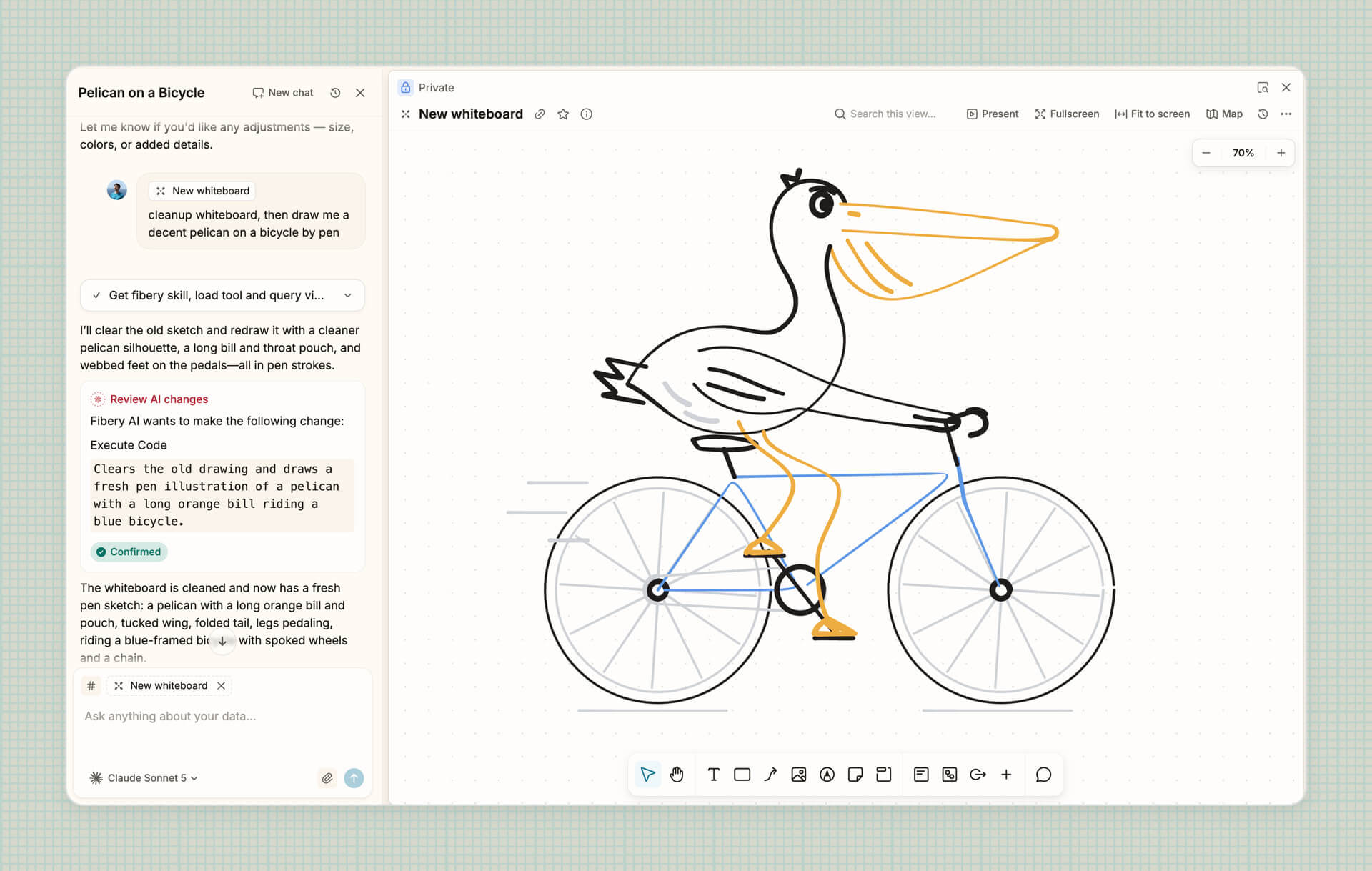
Now Fibery can create, update and read content on Whiteboards. You can do it via Fibery AI or Fibery MCP Server, and it gives you the freedom to create diagrams, mind-maps, and other less trivial things.
We’ve noticed that spatial updates are quite hard for AI and only top models like Astra and Opus are quite good at it, so make sure to select a good model when you want to create a new whiteboard.
Space templates include files and images now
Sharing a Space as a template now includes attached files and images inside entities, rich text and whiteboards. Finally you can migrate Spaces between workspaces, hand off client work, or share templates with the community without manually copying those assets.
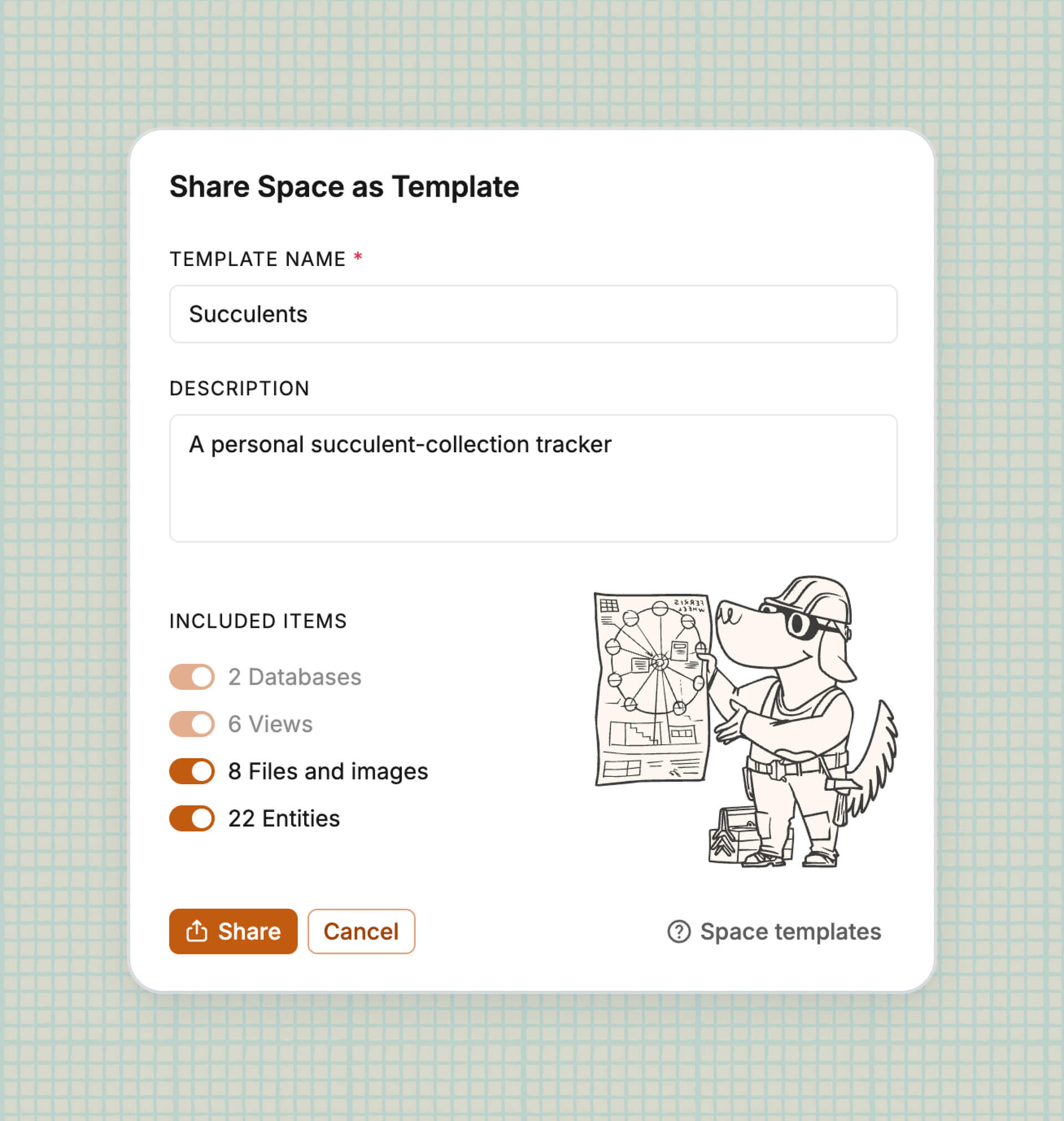
The Files and images option is enabled by default, but you can still turn it off when sharing. Each template supports up to 1,000 files and 1 GB size in total.
Faster node creation on Whiteboards
Creating flow charts is now faster with both mouse and keyboard.
For mouse 🐭 lovers. Hover over the add button to preview a new node, then click to create it. Nodes align automatically. You can still drag to place them freely.
For keyboard 🎹 lovers. Press ⌘/Ctrl + Arrow Keys to create a connected node in any direction. Hold an arrow to create several nodes in a row, or switch directions to quickly build branches.
OAuth Applications
Workspace admins can now register OAuth applications themselves in Settings → OAuth Applications. No more writing to support! Specify OAuth Application name and redirect URIs, and you get the credentials and endpoints you need to set up the OAuth flow. Each application belongs to the workspace it was created in: only that workspace’s members can authorize it, and the tokens it issues work only there.
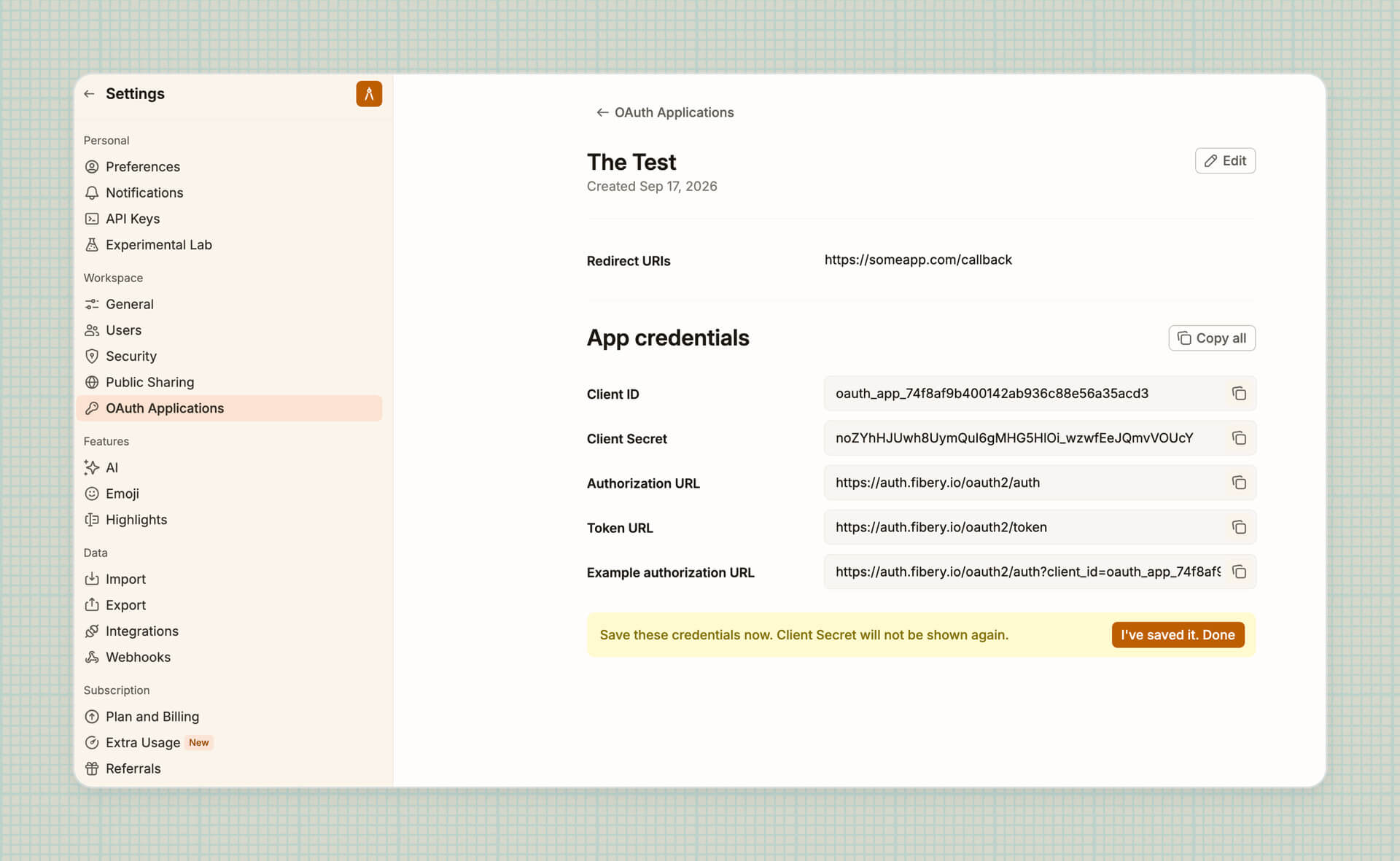
This unblocks connecting Fibery’s MCP server to enterprise MCP clients, and building internal integrations that act on behalf of your users.
💸 Caps for monthly AI credits (from October 2026)
Starting next month, we’re introducing the maximum number of AI credits that a workspace can get, regardless of the number of paid seats:
- Standard: 250 AI credits per paid seat up to 10,000 credits;
- Pro: 500 AI credits per paid seat up to 25,000 credits;
- Enterprise: 1000 AI credits per paid seat up to 50,000 credits.
This will only affect the top consumers among the largest workspaces. In fact, only three of our customers have ever reached their future caps — we’ll contact them personally.
If you find yourselves approaching the limit, two suggestions:
- If you’re building custom apps, consider doing so via MCP. This doesn’t consume Fibery AI credits and is free for you if you have a Claude, ChatGPT, or another provider subscription.
- If you can’t be bothered with the MCP, enable extra usage for AI.
🦋 Improvements
- Gantt View:
Hide parents without childrenoption in Filters added to Gantt View as well (not sure why we forgot it last time) - UI: Focused panels now show a subtle highlighted border so it’s clear where shortcuts apply.
- Send web request action: Even though the standard for basic authentication requires a username and password, not all web services adhere to this. It’s now possible to send a web request with only a username for basic authentication.
We've also fixed 17 bugs, see all the details in the changelog!
💸💸 Custom Apps and Fibery MCP
If you build custom apps all the time (admirable!), reap the beneifts of your subsidized Claude or ChatGPT subscription. Connect any agent to Fibery via MCP and tell it to make you a custom app.
You don’t consume Fibery AI credits, we don’t get charged API rates. Win-win!
💡 Tip of the Week
Sometimes you have to share Entities with Users or User Groups over and over again, but who's bothered to do that manually... Instead you can configure automatic sharing to make things smoother. First, you need to make sure that you have your User Groups set up — NOTE that User Groups are a Pro feature.
Then, with a relation between your User Group Database and the Database you're sharing Entities from, turn on the Automatically share … with … toggle in the Sharing section of the Relation field. You can also use Access Templates or Extend access with automatic sharing.

|


