🧩 Architects Weekly #79 | Changelog, Tip: Reverse a converted Relation
See what's new in Fibery!
Hi ⛅,
This week we bring you improvements to AI connectors and Rich Text, as well as some other bits and bobs in Custom Apps, the Desktop app, and elsewhere. We've also got a tip on reversing a Relation if it's been converted by mistake. Happy little mistaking! 🎨
📫 Weekly Changelog — October 29, 2026
AI Connectors: Experimental → Beta
AI Connectors let you very quickly import or sync data from almost any external system or tools.
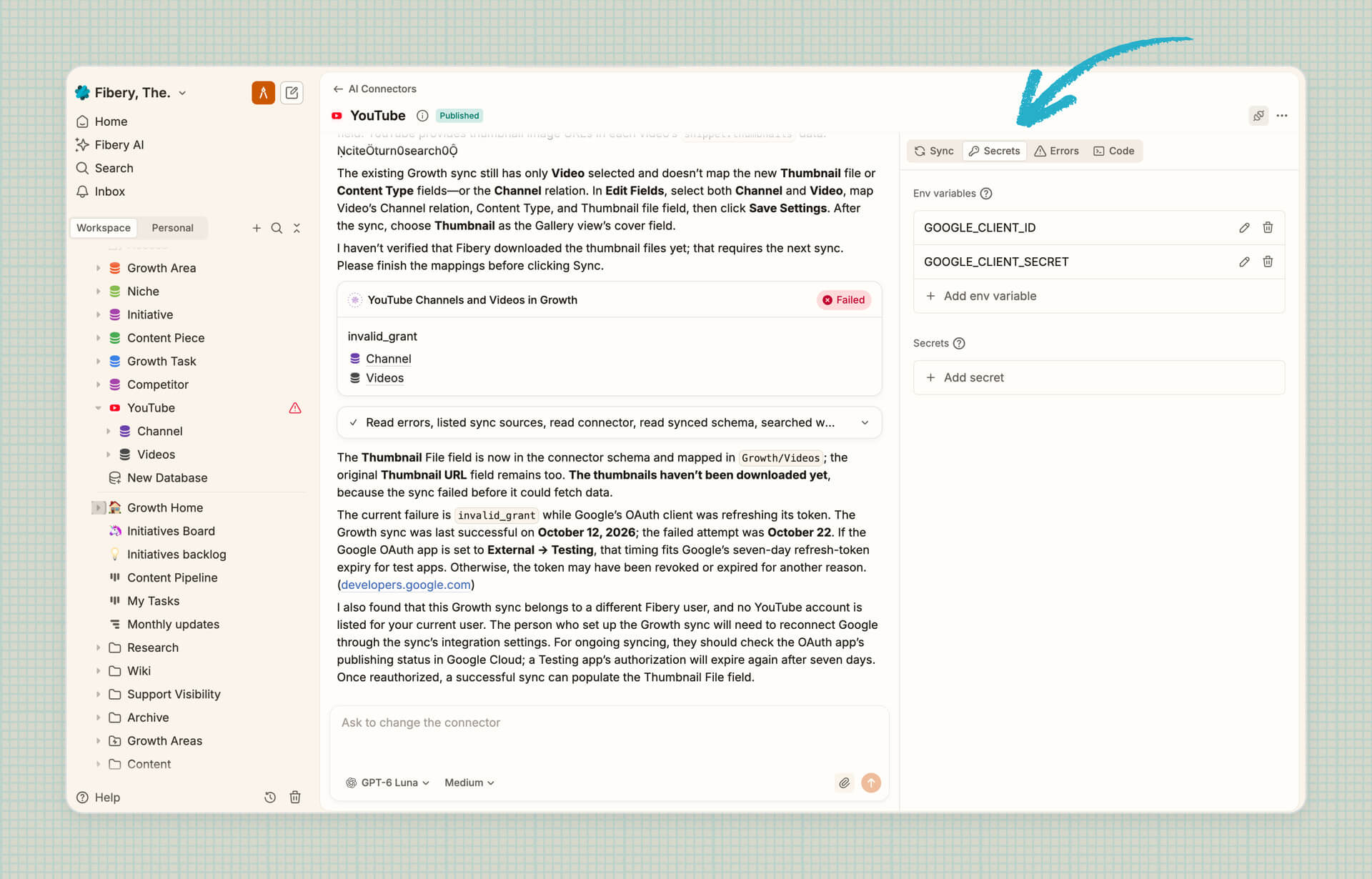
We’ve improved AI Connectors and they can be accessed from more places now. AI Connector creation was also improved. Now you can see all your Secrets, Errors and Code, attach files into the editor, find all installed connectors in Settings → Integrations. We consider this feature as ready for general use.
Firsts tests showed that the cost of running custom connectors is quite low, so there are good chances that we will not take money at all for moderate usage. We are thinking about more frequent syncs (5-15 mins) and here situation may change. We will continue monitoring AI connectors usage and make some decision till the end of the year.
We are also working on MCP support, so in the near future you will be able create AI Connectors from your favorite AI coding tool or any chat with MCP support.
Check AI Connectors user guide for more details.
Rich Text improvements
Block menu
Every block now has its own menu. Click the ⋮⋮ handle next to a block to see available actions, including options specific to that block type. If you prefer the keyboard press Cmd/Ctrl + / to open the menu for the current block or selected media. Press it again to close. Dragging works as usual.
Select several blocks at once
You can now select several blocks at once by dragging up or down along either page margin. Move, copy, cut, or delete them together instead of handling each one separately.
File previews on hover
Hover over a file to see a quick preview, when available, without opening it. This works for both inline files and standalone file blocks.
Copy link to block
We’ve added a new action Copy link to block to the block context menu. It allows user to generate and copy a direct URL to a specific content block.
Custom Apps: all pages in app have own url
Custom app screens/pages now have their own URLs. If your app has several screens, reloading the page, pressing Back/Forward, or sharing a link now opens the exact screen instead of the app’s start screen. This works in views, side panels, standalone apps, and public links.
New apps get this by default. Existing apps get it after the agent migrates them to platform 3.0.0.
Desktop app: Move tabs between windows
Using several windows in the Fibery desktop app? You can now drag a tab from one window and drop it into another.
🦋 Improvements
- MCP:
- Fibery whiteboards now work in ChatGPT via the Fibery MCP Server
- Setting up a workspace in Fibery via MCP is now ~3x faster
- Whiteboard: We slightly improved performance of whiteboard especially to deal with thousands of videos and images 💨
- Table View: whenever you have a relation column, grab Fields from the related Entity via the
Fields →option in the column’s context menu. Yep, you don’t necessarily need a Lookup - Google Calendar Integration now supports real time updates via webhooks. Make sure to enable “Receive instant data updates using webhook” setting for Google Calendar
- Reports: Sometimes when report is created and data is not there yet, a user sees “No data to visualize” even when data is already present. Now this problem is fixed and report is updated automatically
- Permissions: you can share Databases and Entities with Admins, now that they don’t necessarily have access to everything.
- UI:
- Activity panels are now more polished. Filtered entity activity is easier to discover, and rich text change displays have been improved for a clearer experience
- Improvements to loading states. Loading now looks consistent across Fibery, from the startup logo to views, the sidebar, panels, and documents. No more blank areas or spinners that flash for a split second. If something takes a little longer to load, you’ll see nicer preloaders than before. It also looks better in dark mode and respects your “Reduce Motion” setting
We've also fixed 19 bugs, see all the details in the changelog!
💡 Tip of the Week
Maybe you misclicked or were trying out a new experiment and accidentally converted a Relation. There's not a simple Unconvert button, but you can still fix the mistake. You'll need to head to the Activity Log.
To reverse your conversion, you'll need to follow a few steps to achieve a restored Relation as if nothing ever happened. It might feel uneasy but rest assured, it will all be okay. Check out the guide for all the steps and details.

|


